
How to Turn a Messy Lead List into an Organized Pipeline in One Afternoon
Turn a cluttered lead list into a clear, organized pipeline in one focused afternoon. This practical cleanup guide walks creative finance investors and wholesalers through removing duplicates, creating deal stages, tagging seller motivation, assigning next steps, and building a follow-up system that keeps opportunities from slipping through the cracks.

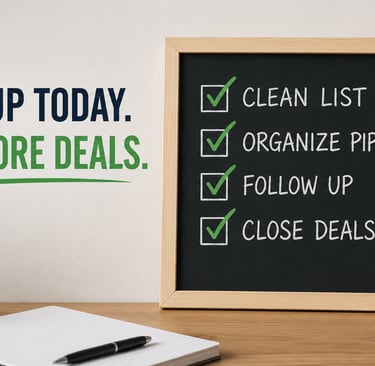
A messy lead list quietly costs you deals.
When seller names are incomplete, phone numbers are formatted five different ways, follow-up dates are missing, and old leads are tangled up with active opportunities, it becomes nearly impossible to know where to focus. You might have genuinely valuable leads sitting in a spreadsheet or CRM right now. But they're not helping your business if nobody knows what to do with them next.
The good news is that you don't need an expensive CRM rebuild or a full week of data entry to fix this. You can turn a cluttered lead list into a clean, usable pipeline in one focused afternoon.
Block three to four hours, silence your notifications, and work through this cleanup sprint one step at a time.
Step 1: Make a Working Copy First
Before you touch anything, create a duplicate of your spreadsheet or export your current leads out of your CRM.
Leave the original file completely untouched as a backup. Name the new version something clear and dated:
Seller Leads Cleanup – Working File – May 2026
Your working list should have these basic columns:
Seller name
Property address
Phone number
Email address
Lead source
Deal stage
Motivation tag
Last contact date
Next step
Follow-up date
Notes
Don't stress if most of these fields are empty. That's the point of the sprint. Your job this afternoon is to fill in the most important information and flag what still needs attention.
Step 2: Kill the Duplicates
Duplicates create real problems. Two people on your team might follow up with the same seller without knowing it. You might waste time reviewing the same property twice. It erodes trust in your own system.
Start by sorting your list by property address. Look for anything that shows up more than once. Then sort by phone number and email to catch duplicates that might have slightly different names or incomplete addresses.
When you find a match, keep the record with the most complete notes and the most recent contact history. Pull any useful details from the older record into the primary one before you delete the duplicate.
One important note: don't automatically delete a lead just because the seller name looks the same. One seller might own multiple properties. The property address is your primary reference point, not the name.
Step 3: Standardize Names and Phone Numbers
A consistent list is a usable list. Inconsistent formatting makes everything harder to search, filter, and use for follow-up campaigns.
For seller names, pick one structure and stick to it throughout:
First Name Last Name
Get rid of variations like:
JOHN SMITH
Smith, John
John and wife
Mr. Smith
Owner
When information is missing, note it clearly as Name Needed rather than leaving a blank or taking a guess.
For phone numbers, use one format across the board:
(555) 123-4567
If a seller has more than one number, use separate columns for Primary Phone and Secondary Phone, and label them when you can: mobile, home, or work.
Do the same cleanup on property addresses. Standardize street abbreviations, city names, states, and ZIP codes. This makes it far easier to spot remaining duplicates and sort leads by market.
Step 4: Create Simple Deal Stages
A lead list becomes a pipeline the moment every record has a clear stage attached to it.
Keep it simple. You don't need 20 categories. Too many stages create confusion, not clarity.
For creative finance investors and wholesalers, here's a practical starting framework:
New Lead — Added to the list but not yet contacted.
Attempting Contact — You've called, texted, or emailed but haven't had a real conversation yet.
Contacted / Follow-Up Needed — You spoke with the seller, but the opportunity isn't ready to move today.
Qualified Lead — The seller has real motivation, the property fits your buy box, and you need to gather more information or put together an offer.
Offer Sent — You've presented a cash, creative finance, wholesale, or other offer.
Under Contract — The seller accepted your offer and the deal is moving forward.
Dead Lead — Not currently workable. The seller isn't interested, or the property doesn't fit your criteria.
Every record gets assigned to one stage before you move on. No exceptions.
Step 5: Tag Leads by Motivation
Deal stages tell you where a lead is in your process. Motivation tags tell you why the seller might be open to a conversation, and how to approach them when you follow up.
Some tags worth using:
Preforeclosure
Vacant property
Tired landlord
Inherited property
Behind on taxes
Divorce
Relocation
Major repairs needed
Low equity
Free and clear
Expired listing
Price too high
Not ready yet
Creative finance potential
A single lead can carry more than one tag. A vacant property with low equity might not work as a cash wholesale deal, but it could be worth a closer look as a subject-to or seller finance opportunity.
Good tags keep you from writing off leads just because the first strategy didn't fit.
Step 6: Assign One Clear Next Step to Every Active Lead
This is where most pipelines fall apart.
"Follow up later" is not a next step. "Call again sometime" is not a next step. Those are placeholders that lead to forgotten leads and missed deals.
Every active lead needs a specific action with a specific timeframe:
Call seller Thursday to review mortgage balance
Text seller tomorrow morning after their attorney meeting
Send seller financing offer by 3:00 p.m. Friday
Ask title company to pull lien information
Follow up in 30 days once the tenant moves out
Send property to buyer list after photos are received
When anyone opens a record in the CRM, they should immediately know what needs to happen next without rereading the entire conversation history from scratch.
Step 7: Archive Dead Leads Without Deleting Them
Don't permanently delete old leads unless they're obvious spam or completely invalid records.
A seller who says no today might be ready to talk six months from now. A property that didn't work as a cash deal might make sense later with a creative finance structure. An inherited property might take months to clear probate before the seller can do anything.
Move inactive leads into a Dead Lead or Long-Term Nurture category and add a short note explaining why:
Seller not interested
Property already sold
Wrong number
Asking price too high
No real motivation
Doesn't fit buy box
Follow up in six months
Your archive should stay searchable. Old leads aren't worthless. They just don't belong in your active pipeline.
Step 8: Schedule Your Follow-Up Tasks
The cleanup sprint isn't finished until follow-up dates are locked in.
Filter your list for every lead sitting in these stages:
Attempting Contact
Contacted / Follow-Up Needed
Qualified Lead
Offer Sent
Every one of these needs a follow-up date before you close the spreadsheet.
Then build one daily habit around it: check your follow-up tasks before you add a single new lead. A smaller, well-managed list with consistent follow-up will always outperform a massive spreadsheet that nobody actually uses.
Finish With a 15-Minute Review
Once the sprint is done, filter your list by deal stage and count how many leads are sitting in each one.
You should be able to answer these questions without hesitating:
How many new leads need an initial call?
How many sellers are waiting on a follow-up?
Which leads are qualified and ready to work?
Which offers are still open?
Which leads need to be archived?
What needs to happen tomorrow?
That's the difference between a messy spreadsheet and an actual pipeline.
You don't need a complicated system. You need a clean list, clear stages, useful tags, and a next step attached to every active lead.
Once those pieces are in place, your CRM stops being a place where leads go to be forgotten. It becomes a working system that helps you follow up consistently, spot opportunities faster, and stop losing deals that were already in your database.